Connectivity
On Avianca On Air, enjoy content throughout your journey and an onboard experience with progressively available Wi‑Fi.*

From major studios to the best of Hollywood
More stories. More content. More excitement


















<span style="display:inline-block; width:80px; height:1px; background:#D9D9D9; margin-right:8px;"></span><p style="font-size: 12px; color: #555555; line-height: 1.4; margin-top: 8px; margin-bottom: 8px;">© 2023 Nintendo and Universal Studios. All Rights Reserved. | © 2026 Dramatic Movie Rights LLC. All Rights Reserved. | © 2026 Universal Studios. All Rights Reserved. | © 2026 Migdal Filmes. | ®, TM & © 2026 Lions Gate Entertainment Inc. All Rights Reserved. | © 2026 Paramount Pictures. | © 2026 Warner Bros. Entertainment Inc.</p>
How to access entertainment during your flight
Discover the step-by-step guide to enjoy the best content selection
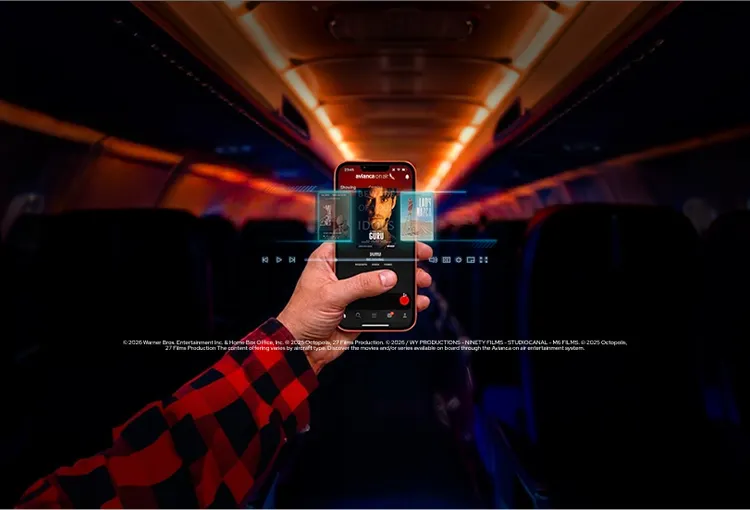
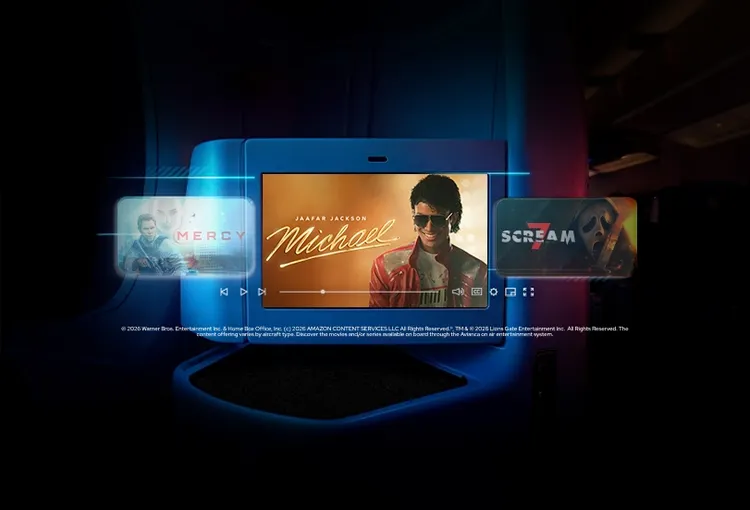
<span style="display:inline-block; width:80px; height:1px; background:#D9D9D9; margin-right:8px;"></span><p style="font-size: 12px; color: #555555; line-height: 1.4; margin-top: 8px; margin-bottom: 8px;"> The headphone service is only available on our Wide-body aircraft (A330 and B787).</p>


FAQ's
<ul>
<li style="font-size: clamp(0.875rem, 0.36vw + 0.765rem, 1rem) !important; line-height: 1.5;"> Connect to aviancaonair.com, enable Wi-Fi in your device settings, and select the aviancaonair.com network.</li>
<li style="font-size: clamp(0.875rem, 0.36vw + 0.765rem, 1rem) !important; line-height: 1.5;"> Open aviancaonair.com; once connected, your browser will launch automatically. If it doesn't, go to aviancaonair.com manually.</li>
<li style="font-size: clamp(0.875rem, 0.36vw + 0.765rem, 1rem) !important; line-height: 1.5;"> Choose your plan and start browsing; select the package that best fits your flight, complete your payment, and enjoy the connection.</li>
</ul>
<div style="
  width:100%;
  height:1px;
  background:#D9D9D9;
"></div>
The Wi-Fi service will be gradually implemented across our aircraft, therefore some of them may not yet have this service available.
<div style="margin-bottom:16px;"></div>
Passengers will be able to access the on board Wi-Fi service through avianca on air, where they will find the following options: messaging, browsing, and streaming, depending on availability and compatibility during the flight.
<div style="margin-bottom:16px;"></div>
Messaging:
<div style="margin-bottom:16px;"></div>
<ul>
<li style="font-size: clamp(0.875rem, 0.36vw + 0.765rem, 1rem) !important; line-height: 1.5;"> Allows plain text communication, as commonly found in standard messaging applications.</li>
<li style="font-size: clamp(0.875rem, 0.36vw + 0.765rem, 1rem) !important; line-height: 1.5;"> Does not allow sending photos or videos within messaging applications.</li>
</ul>
<div style="margin-bottom:16px;"></div>
Browsing:
<div style="margin-bottom:16px;"></div>
Allows the same activities as Browsing, plus long-format video consumption (unlimited videos longer than 5 minutes on any streaming platform).
<div style="margin-bottom:16px;"></div>
Streaming:
<div style="margin-bottom:16px;"></div>
Permite todas as atividades do Browsing + consumo de vídeos de formato longo (vídeos ilimitados com mais de 5 minutos de duração em qualquer plataforma de streaming).
<div style="margin-bottom:16px;"></div>
The options will include two (2) passes available for purchase:
<div style="margin-bottom:16px;"></div>
<ul>
<li style="font-size: clamp(0.875rem, 0.36vw + 0.765rem, 1rem) !important; line-height: 1.5;"> A time-limited pass of up to one (1) hour. </li>
<li style="font-size: clamp(0.875rem, 0.36vw + 0.765rem, 1rem) !important; line-height: 1.5;"> A pass valid for the full duration of the flight. </li>
</ul>
<div style="margin-bottom:16px;"></div>
The price of each package and service availability are explained on board at aviancaonair.com. The price and/or duration of the service may vary depending on the flight time. The duration is determined from the moment the aircraft begins moving for takeoff until it comes to a stop at the destination; however, there may be restrictions during certain phases of the flight such as taxiing, takeoff, approach, and landing. Access to the service will only be available through personal electronic devices such as mobile phones, tablets, or laptops. Access is available from one device at a time.
<div style="margin-bottom:16px;"></div>
To connect, passengers must activate airplane mode on their device, then turn on Wi-Fi and select the aviancaonair.com network. Once connected, they will be automatically redirected to the aviancaonair.com platform, or they may access it manually through their web browser. They must then accept the Terms and Conditions and select the desired package.
<div style="margin-bottom:16px;"></div>
The Wi-Fi service is offered to our customers on behalf of and for the account of Intelsat, who will be the sole contractual provider responsible for the service, in accordance with the service Terms and Conditions available onboard on aircraft equipped with the Wi-Fi system. For more details and service specifications, please visit aviancaonair.com or consult our crew for the Terms and Conditions.
<div style="margin-bottom:16px;"></div>
If any issues arise with connectivity, content, the processing of your personal data through the Wi-Fi service, or if you wish to submit a complaint or claim, you must contact the Intelsat support center directly through the link available on avianca on air. Avianca will not be responsible for problems related to system operation, interruptions, technical failures, or content errors, as these will be managed exclusively by Intelsat.
